Features
Everything a faculty's labs need, in one place.
Each person sees exactly what they need and can only do what their role allows. The server enforces this, not just the screen.
Teachers
Find it, book it, teach
Point here to open
- See which labs are empty and which tools are free right now
- Reserve a whole lab, an instrument or a solution in seconds
- Double bookings are impossible; free time slots are suggested
- Reschedule, cancel, book again from your history
Lab assistants
Your lab, always up to date
Point here to open
- Tools, solutions, stock levels and expiry dates of your own lab
- Report a problem with photos or a video, marked urgent if needed
- Automatic alerts for expired, expiring or low-stock solutions
- A direct inbox with the administration
Administration
The whole picture, in one place
Point here to open
- Breakdown alerts, urgent first, until they are fixed
- Restock and expiry list with “mark as ordered”
- Analytics, PDF and Excel reports, replacement candidates
- Labs, accounts and invitations under control
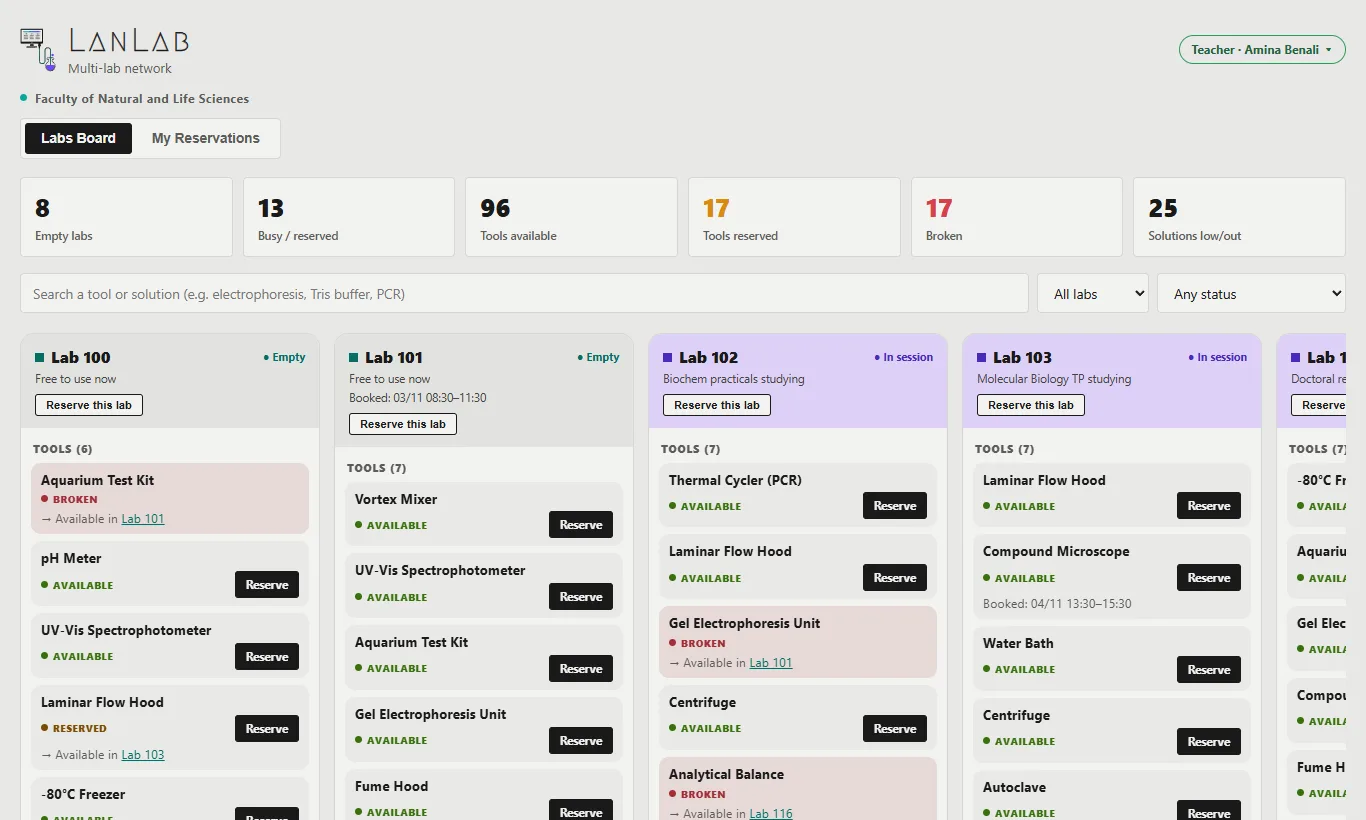
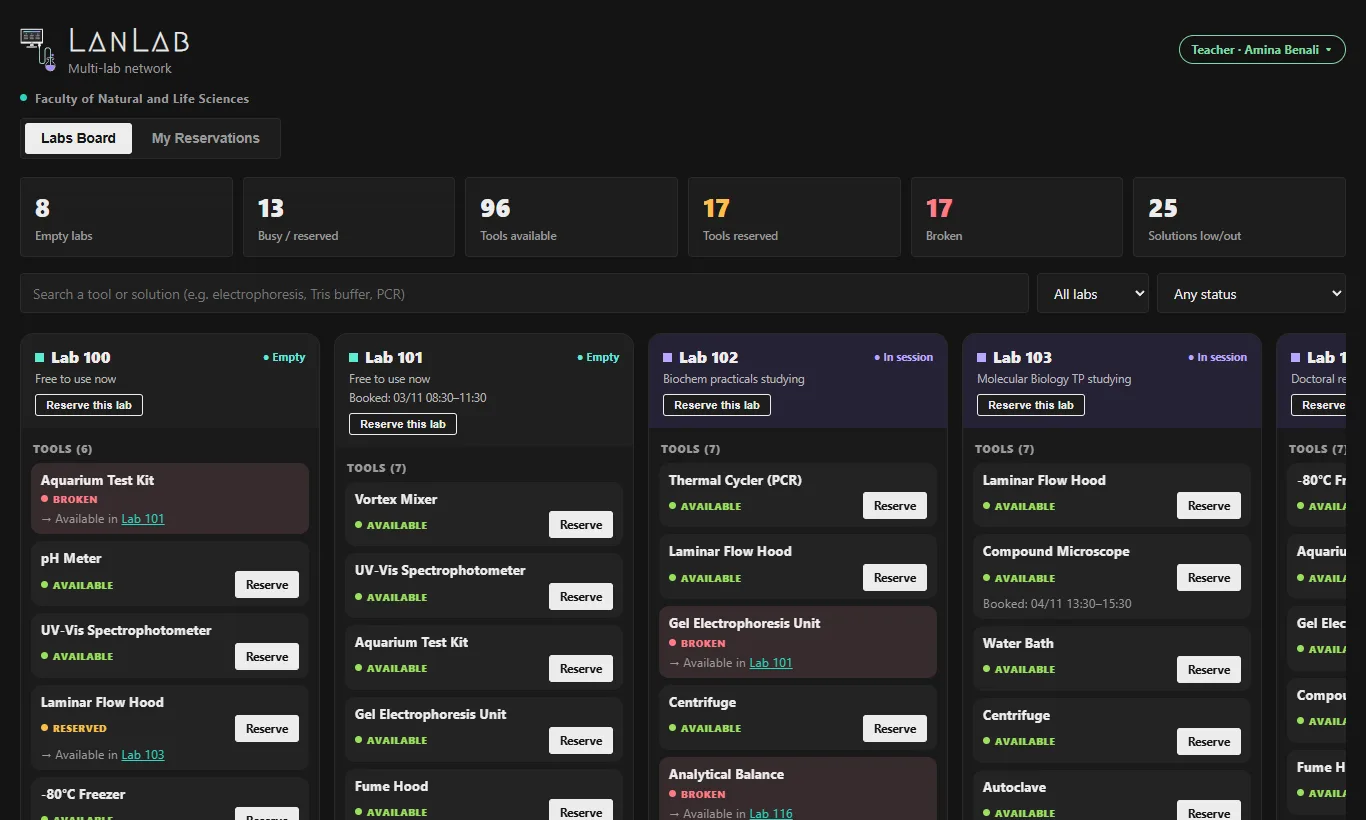
The Labs Board, every lab and tool live
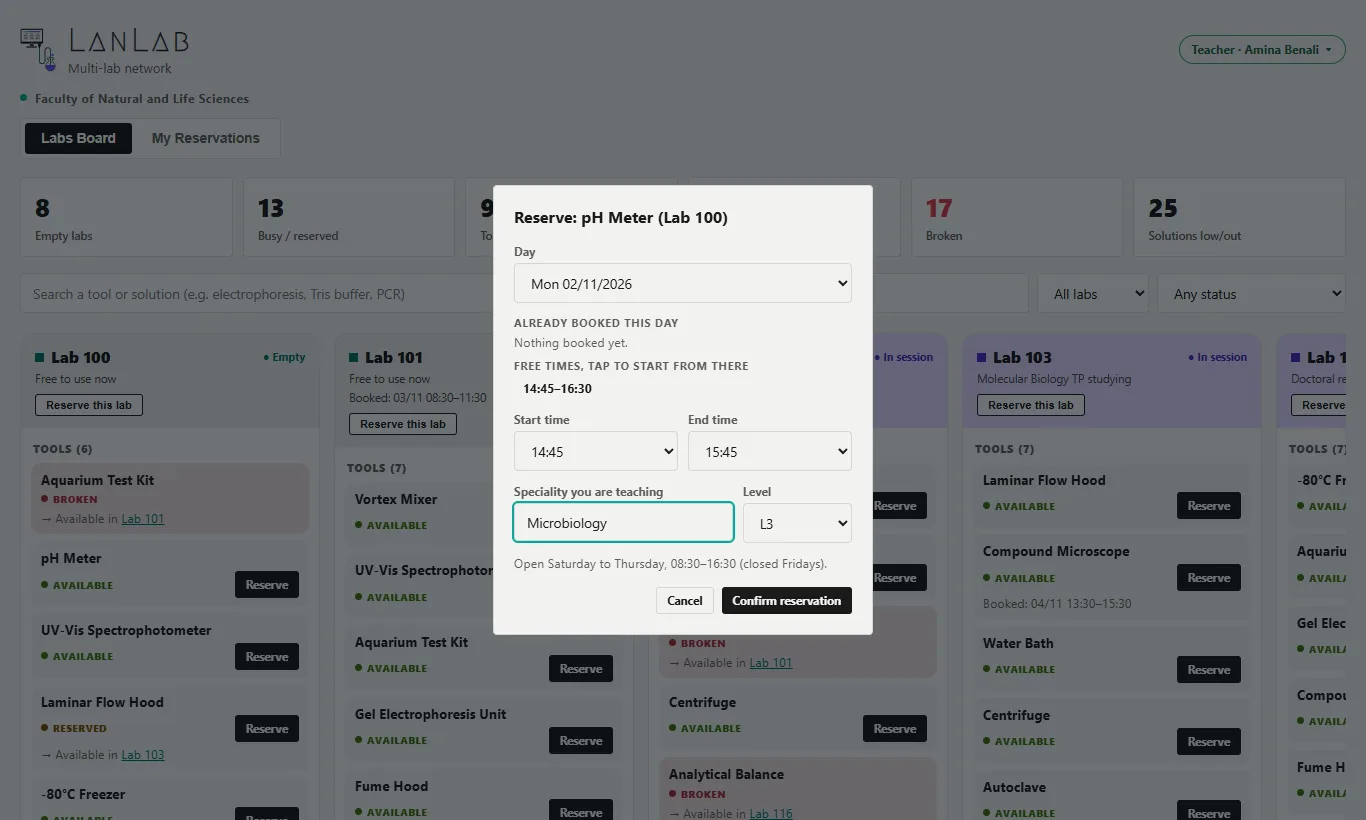
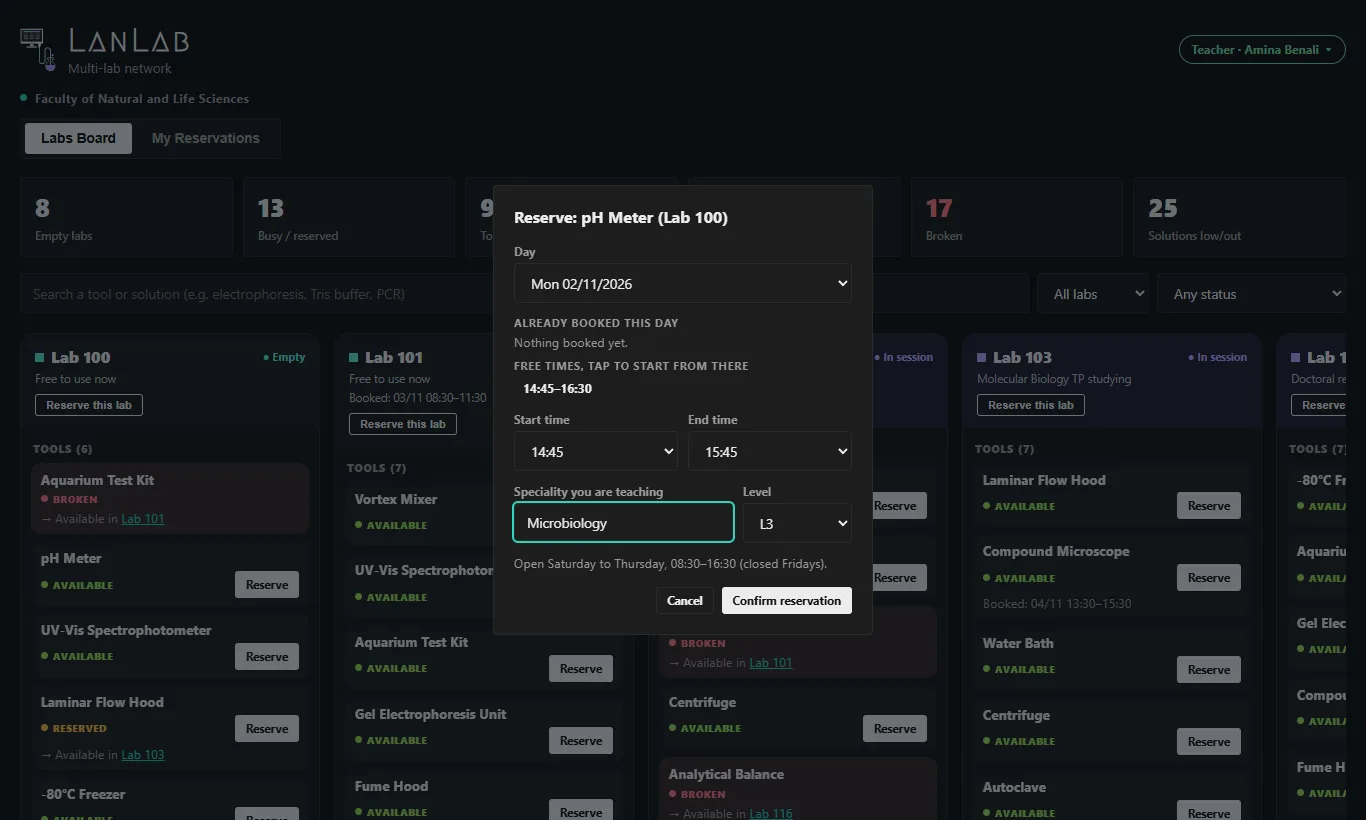
Booking a tool, with the free times shown
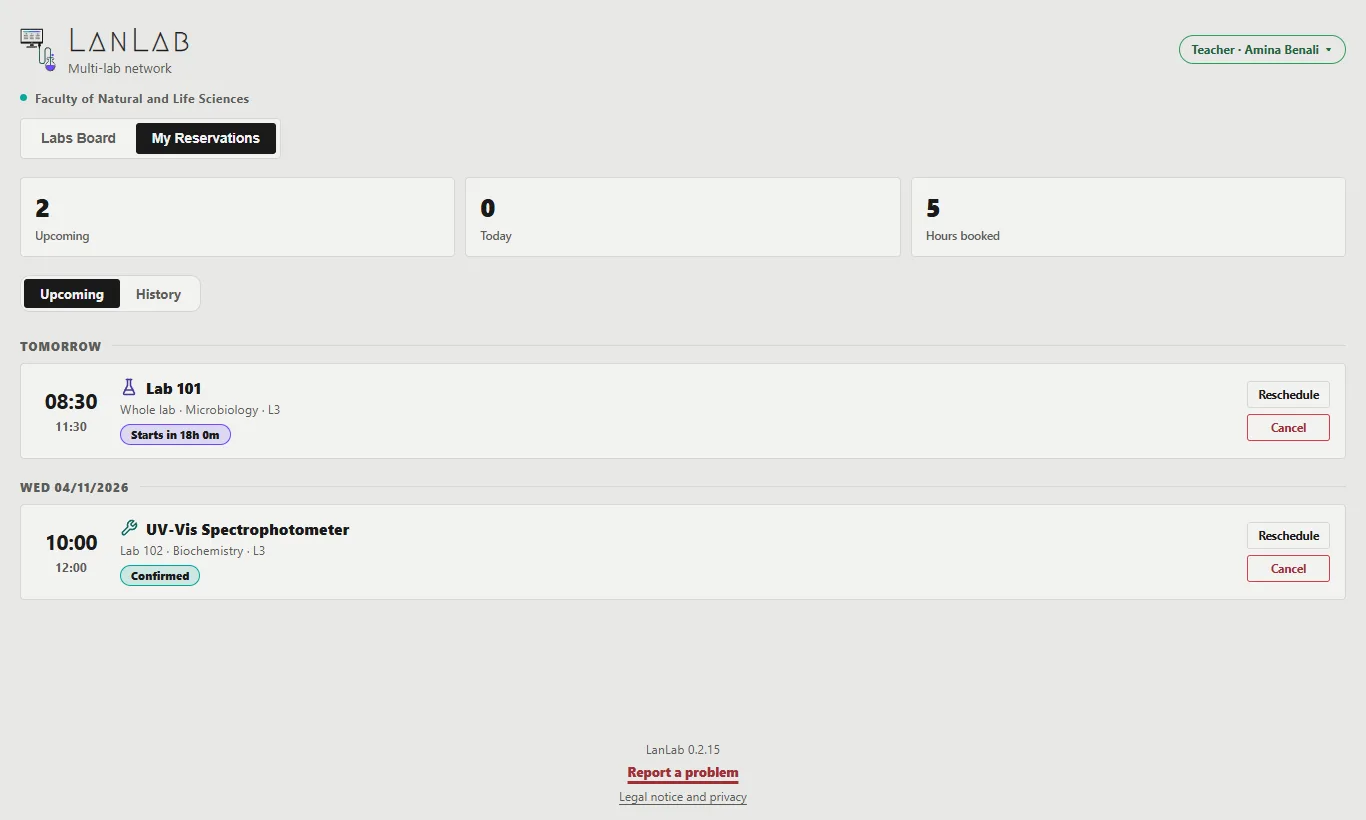
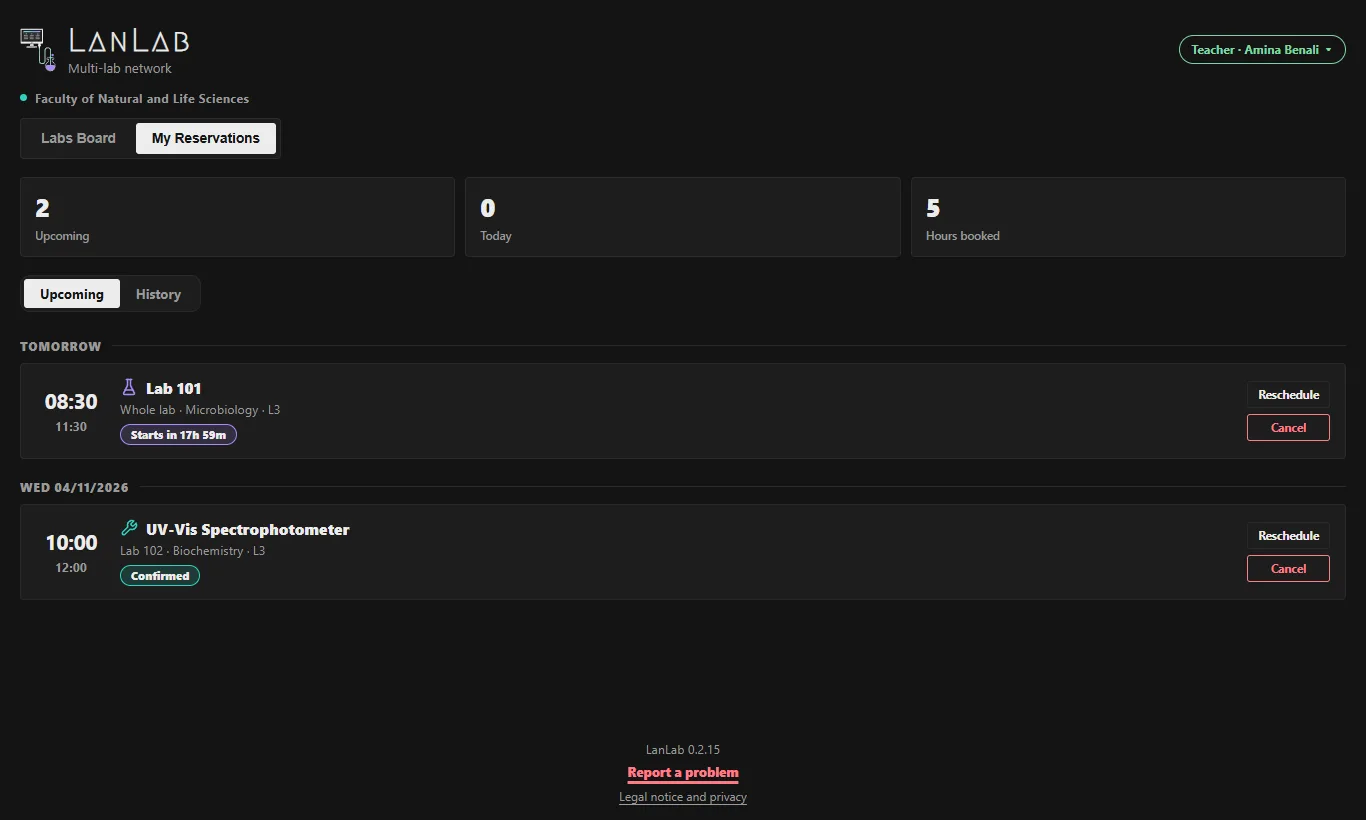
My reservations, to reschedule or cancel
Throw the top screen aside to see the next. Drag the teal divider to compare light and dark.
Booking rules
Open daysSaturday to Thursday
Hours08:30 to 16:30
Book aheadup to 14 days
Longest booking6 h
Time steps15 min
Overlapsrefused by the server
For the lab assistant
The lab's inventory, always current
Open problems, restock and expiry alerts and an Excel export of the whole inventory, all on one screen.
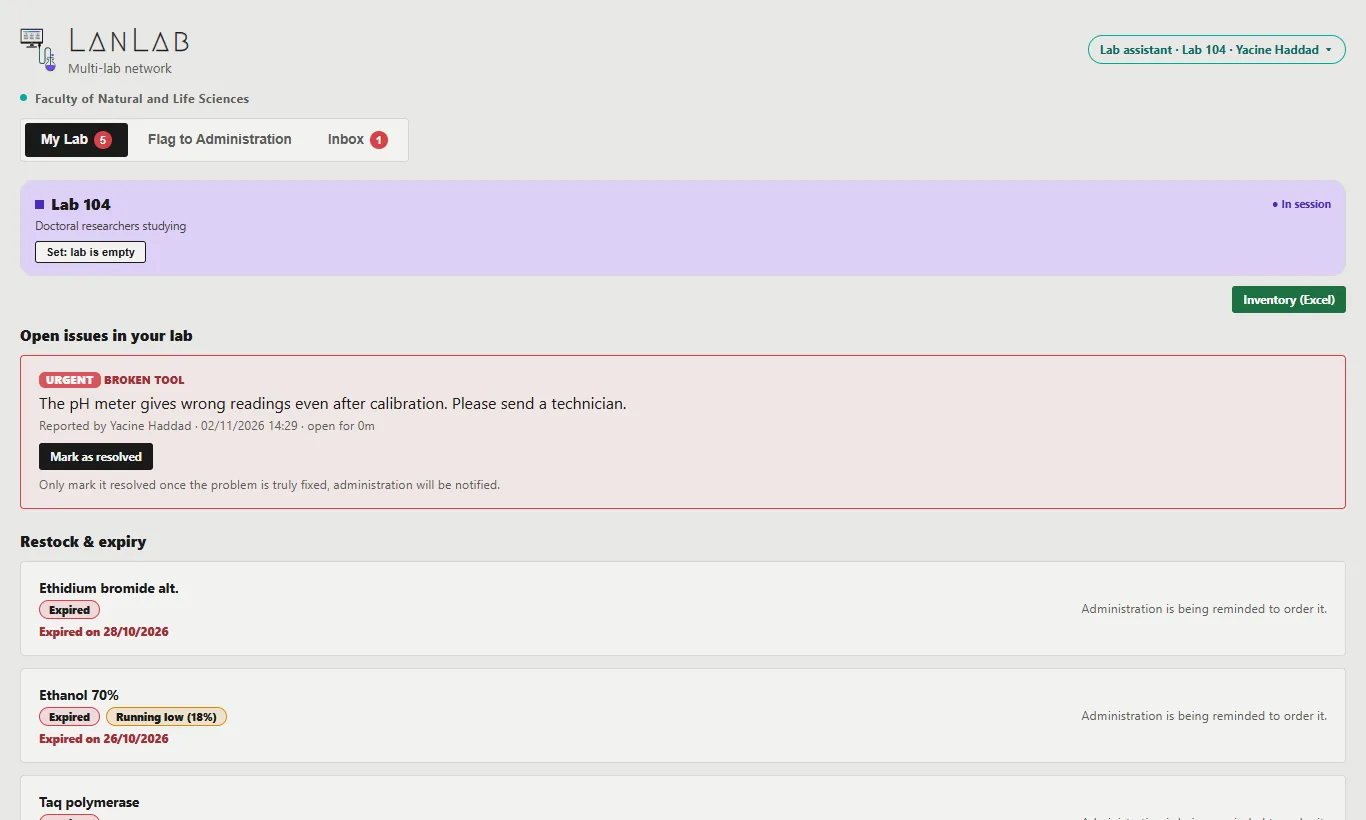
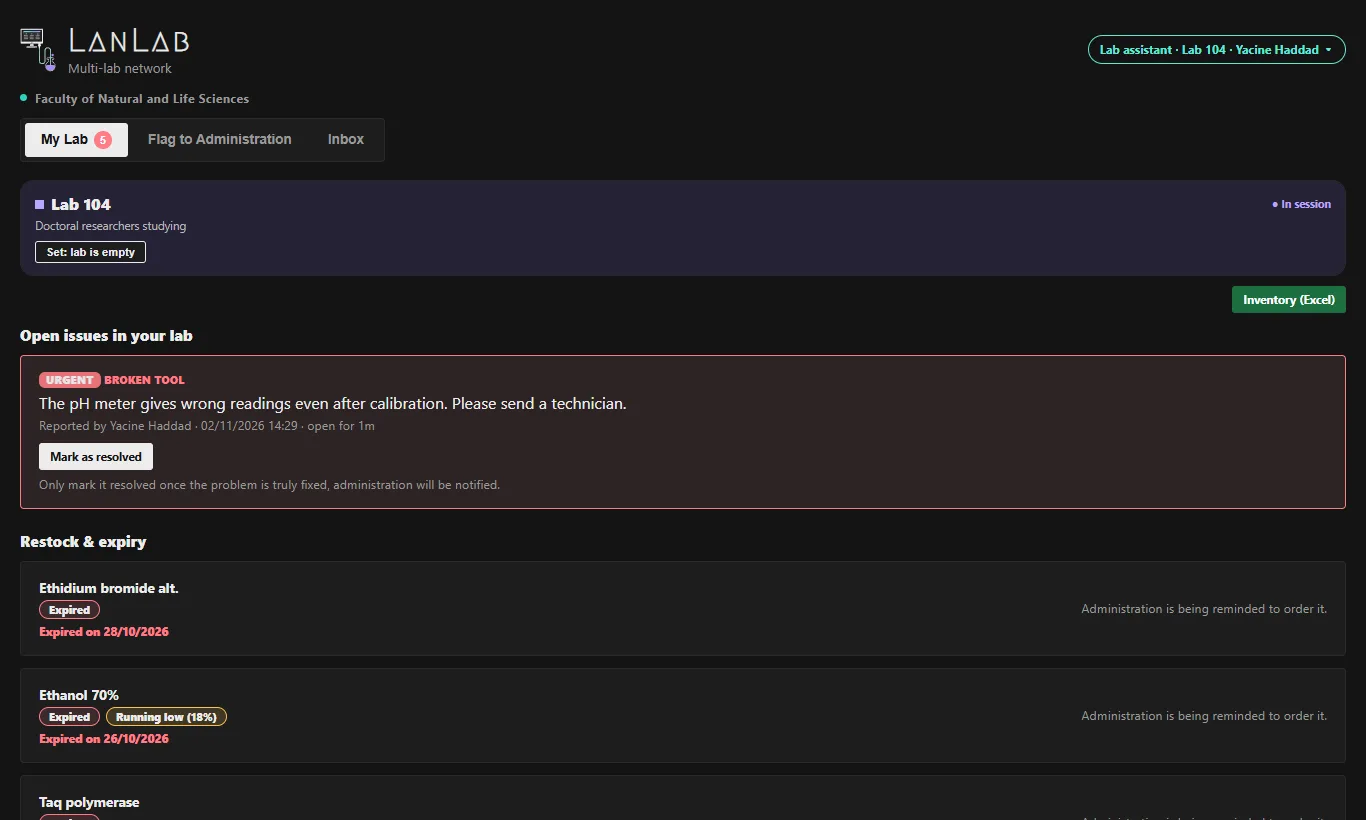
My Lab, open problems and restock alerts
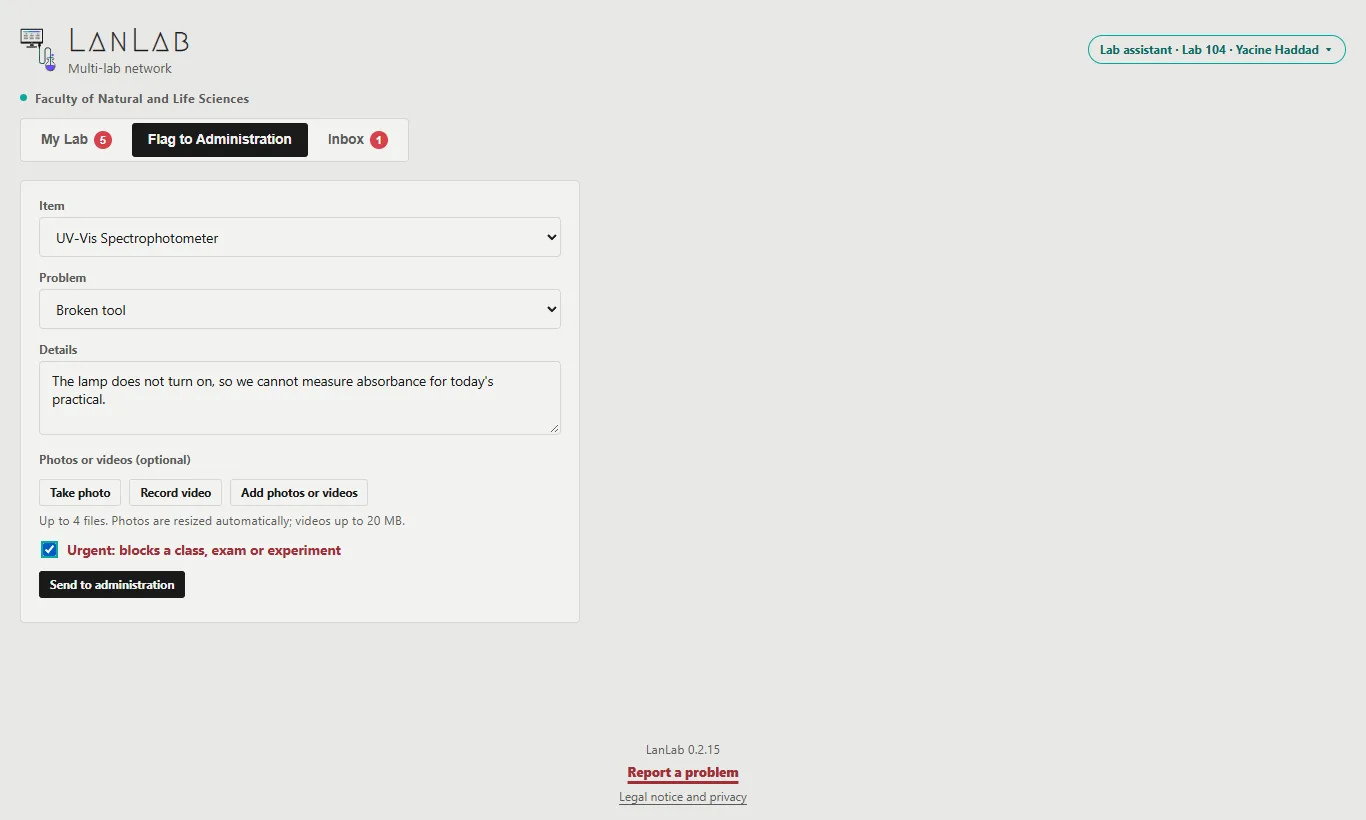
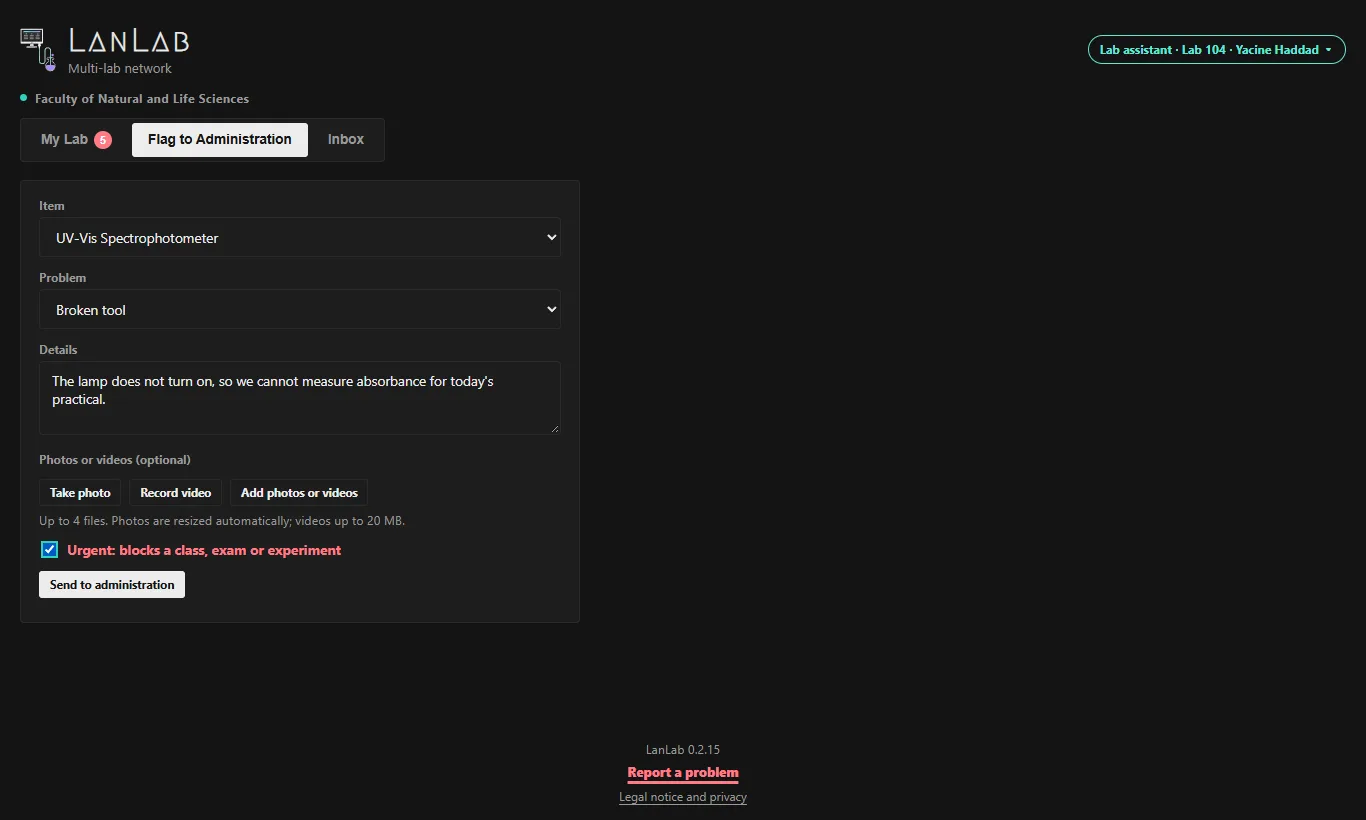
Report a problem, with photos and an urgent flag
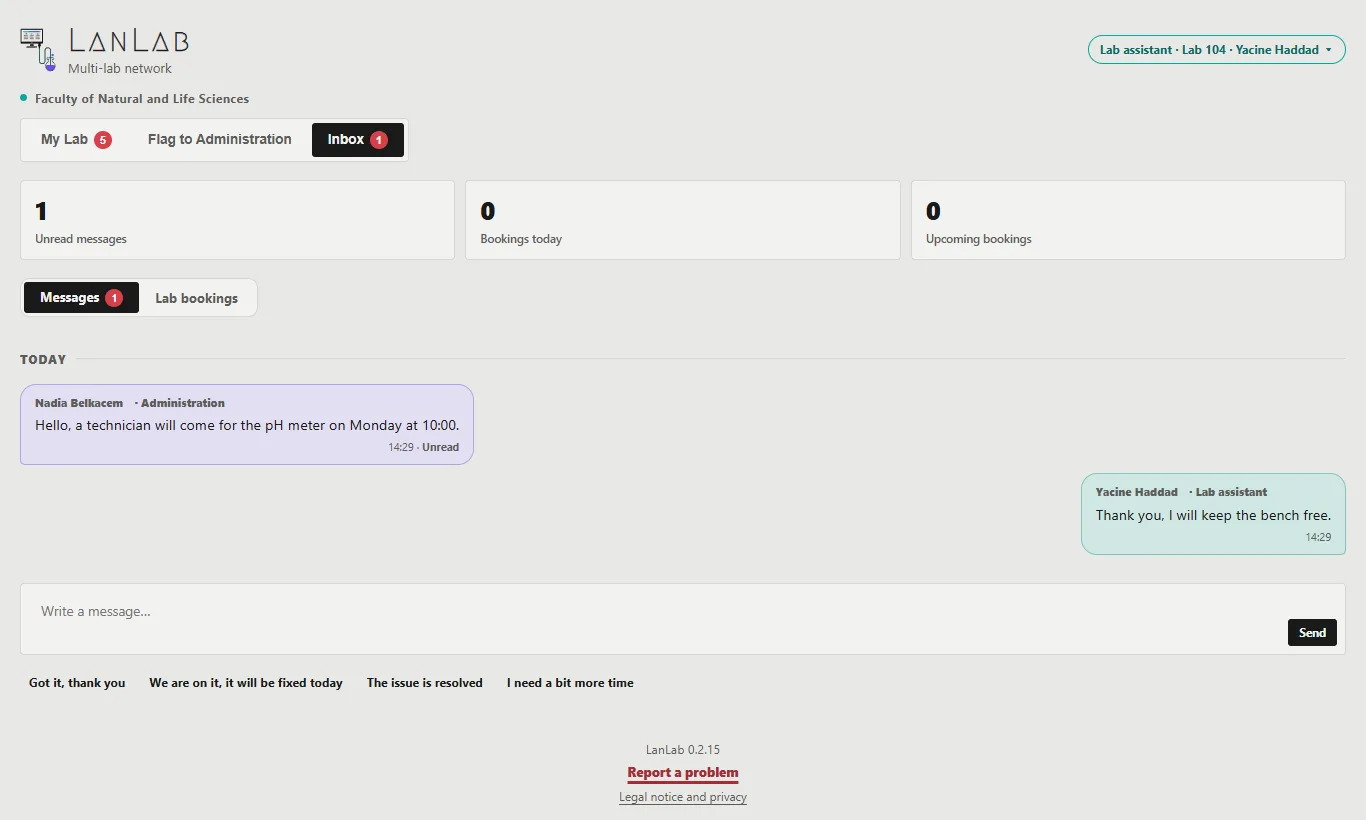
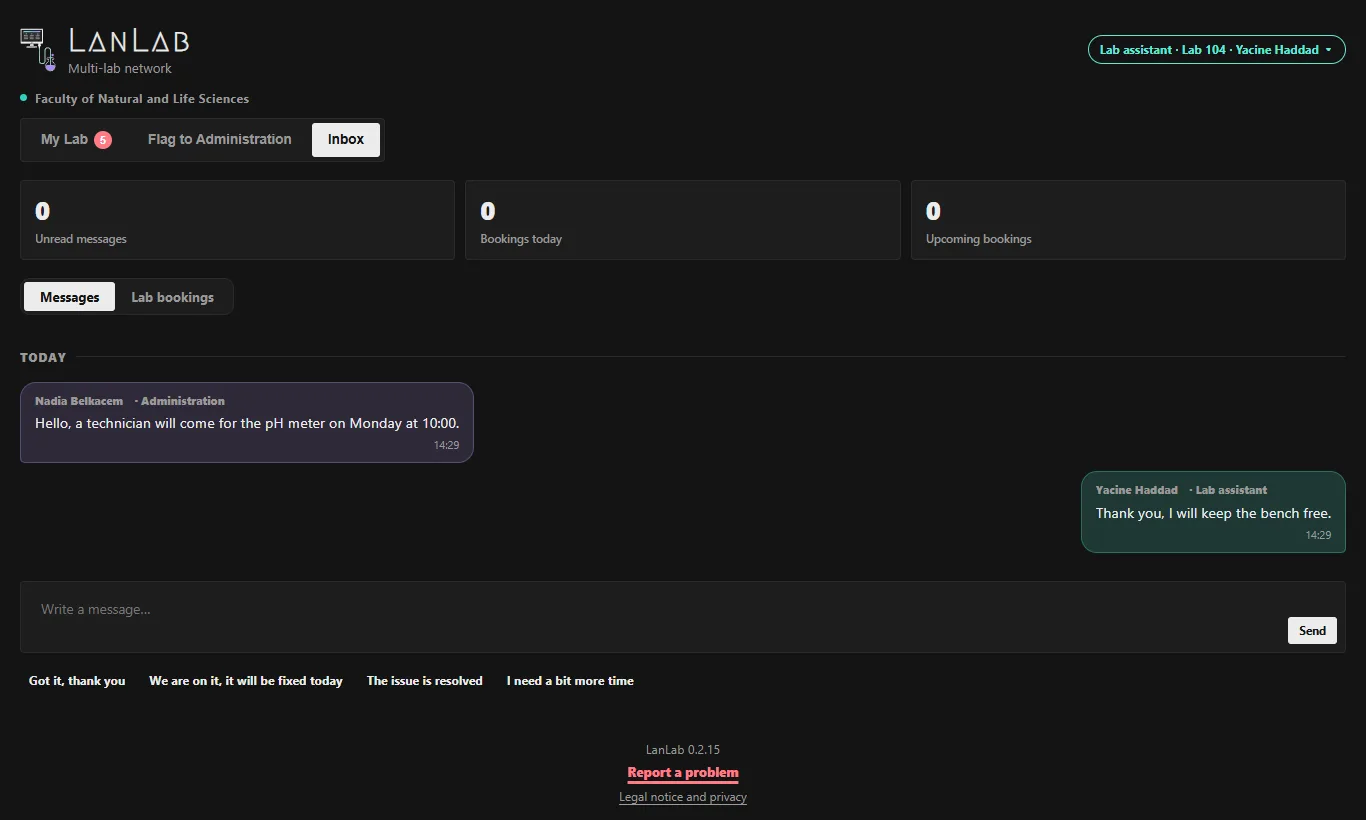
The inbox with the administration
Throw the top screen aside to see the next. Drag the teal divider to compare light and dark.
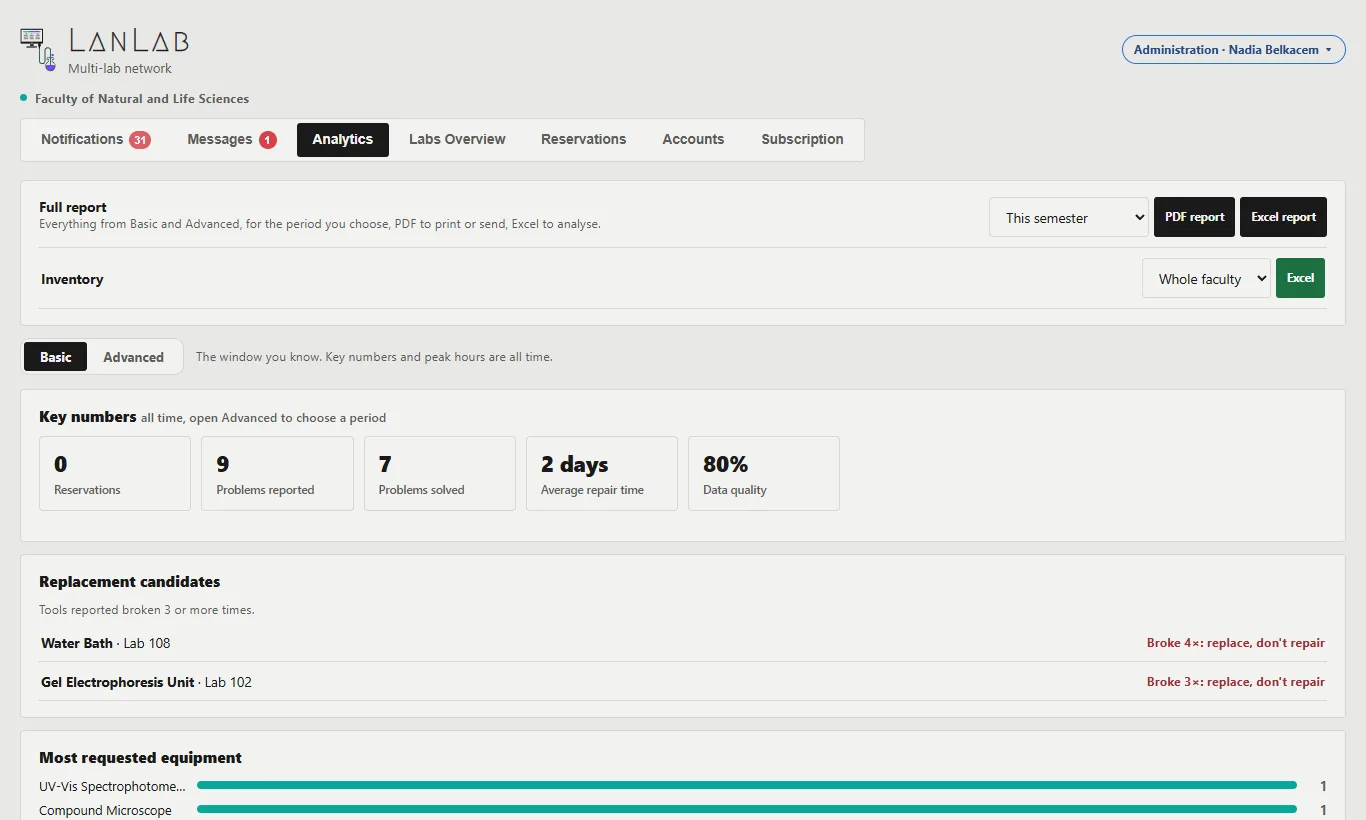
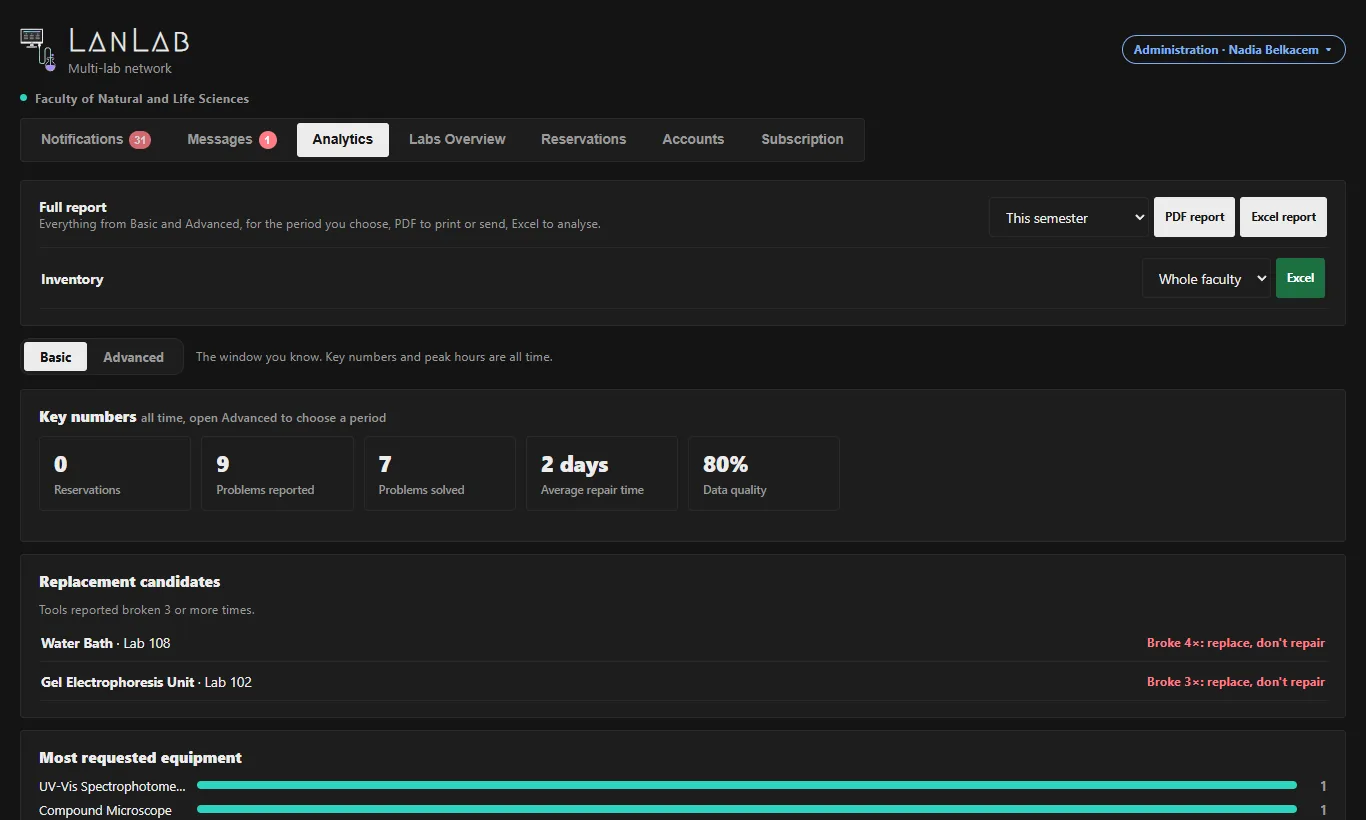
Analytics, with PDF and Excel reports
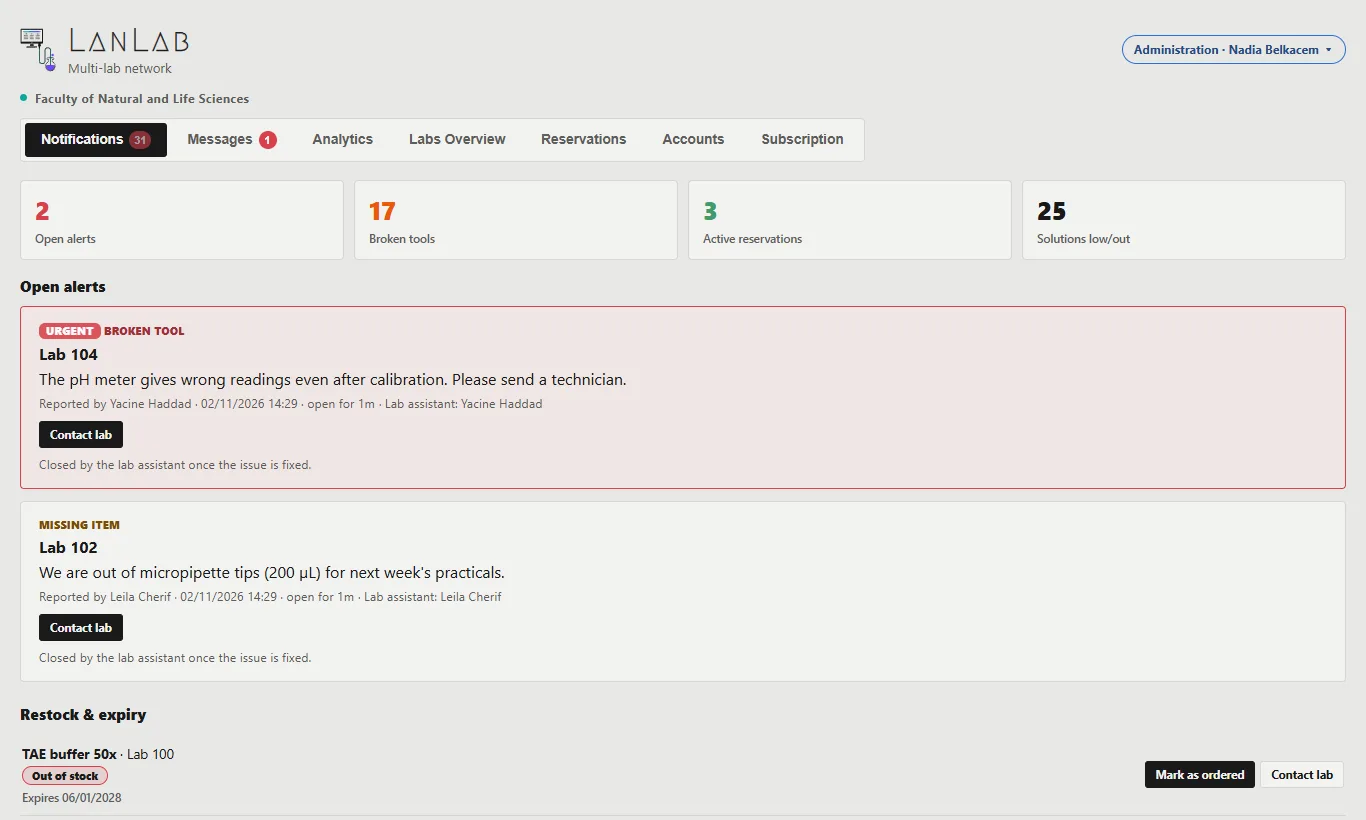
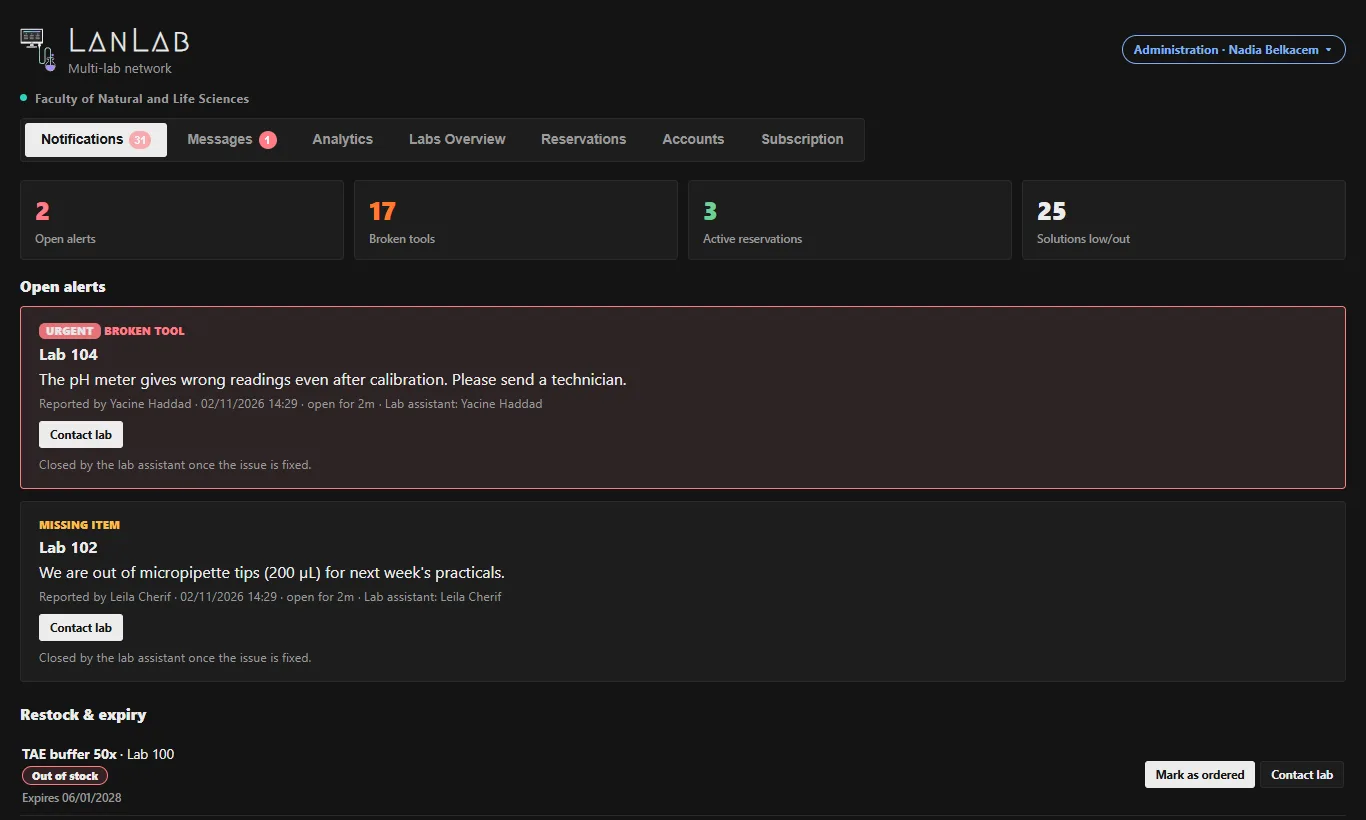
Alerts, urgent first
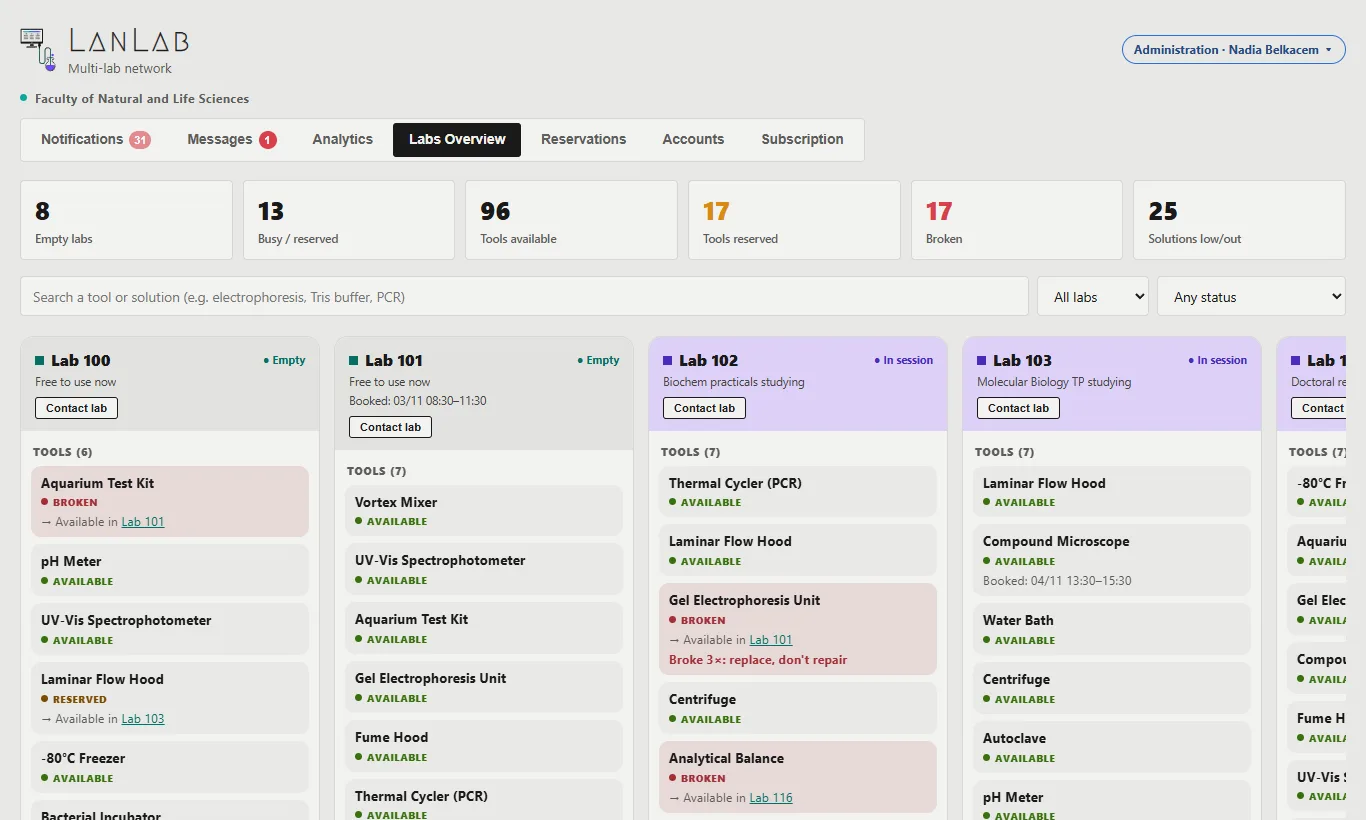
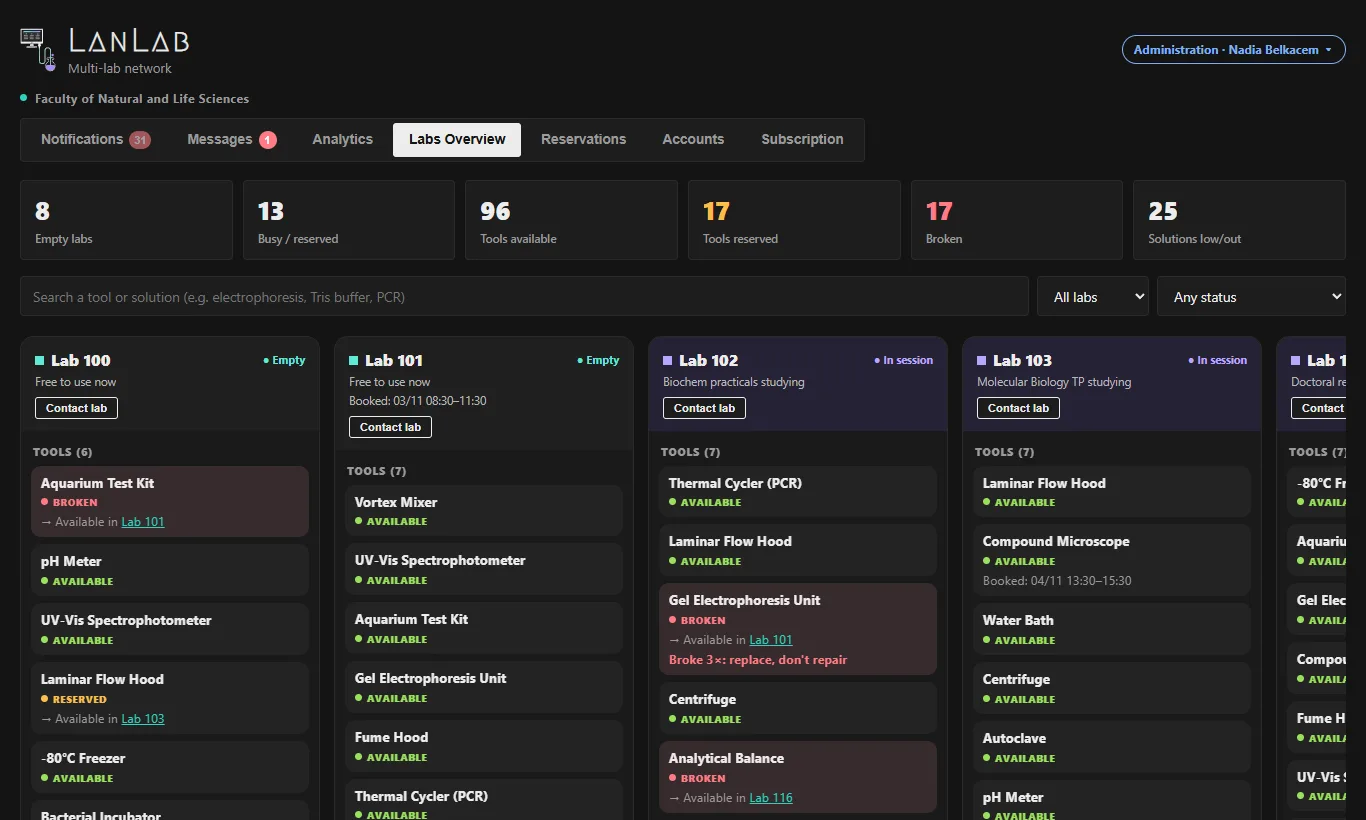
Every lab at a glance
Throw the top screen aside to see the next. Drag the teal divider to compare light and dark.
For the administration
Decisions based on data
Most requested equipment, peak hours, labs with the most problems and tools to replace rather than repair, exported to PDF and Excel.
Small details that make a big difference
- Real time
- A booking or a breakdown appears on every screen within seconds.
- Invitation-only access
- Every account is invited by its institution. Nobody can choose their own role. More on security
- Rules nobody can break
- Opening hours, no double bookings, and only a lab's own assistant can close its problem reports. LanLab's server checks these rules itself.
- French & English
- Switch language in one tap, with dates in DD/MM/YYYY and 24-hour times.
- Windows & Android
- The same live data on the PC and the phone, with automatic updates. Download
- Clear when the internet drops
- A banner tells you when the connection is lost, and nothing looks “sent” until it really is.